Pierwsze kroki
Przygotuj host, zakończ pierwsze uruchomienie i potwierdź pierwszą ścieżkę połączenia.
Podstawowa dokumentacja instalacji i administracji jest dostępna dla wszystkich i wersjonowana wraz z każdym wspieranym wydaniem. Zaawansowane instrukcje płatnych modułów i pomocy technicznej zależą od aktywnej licencji.
Praktyczna ścieżka przez DNS, certyfikaty, dostępność SIP/RTP, routing alarmowy, kopie zapasowe i testy akceptacyjne.
Przeszukaj wszystkie instrukcje Community i panelu bez znajomości ich miejsca w menu. Tagi obejmują nazwy modułów, pola konfiguracji i zadania operacyjne.
Understand the RelayPBX 1.0 compatibility boundary before selecting media, web clients or provisioning templates.
Otwórz instrukcjęPrzygotuj DNS, sieć, sekrety, TLS i odzyskiwanie przed pierwszym połączeniem produkcyjnym.
Otwórz instrukcjęZbuduj minimalny tenant, przypisz numery wewnętrzne i potwierdź pełną ścieżkę połączenia wewnętrznego.
Otwórz instrukcjęPotwierdź, że bazę danych, nagrania i konfigurację telefonii można odtworzyć razem.
Otwórz instrukcjęRozdziel aktualizacje core, silnika telefonii i dodatków, zachowując sprawdzoną ścieżkę powrotu.
Otwórz instrukcjęFollow a Managed order from edition selection and payment through tenant activation, DNS, TLS and first-call acceptance.
Otwórz instrukcjęCreate vendor-specific phone configuration without exposing reusable SIP or bootstrap credentials.
Otwórz instrukcjęSkorzystaj z praktycznej checklisty opartej na dowodach, aby zinwentaryzować, przetestować, przełączyć i odebrać migrację PBX bez ryzykowania na produkcji.
Otwórz instrukcjęPrzygotuj host, zakończ pierwsze uruchomienie i potwierdź pierwszą ścieżkę połączenia.
Aktualizuj bezpiecznie i potwierdź możliwość odtworzenia chronionych danych.
Każdy ekran, typowy proces i opis pól dla wersji 1.0.
Korzystaj z przebiegu połączeń, sygnalizacji i danych odzyskiwania, aby bezpiecznie usuwać problemy.
Instrukcja wykorzystuje zrzuty ekranu z RelayPBX 1.0, a nie ogólne ilustracje. Otwórz przewodnik, aby zobaczyć ekran wraz z procesem, opisem pól i testami akceptacyjnymi.
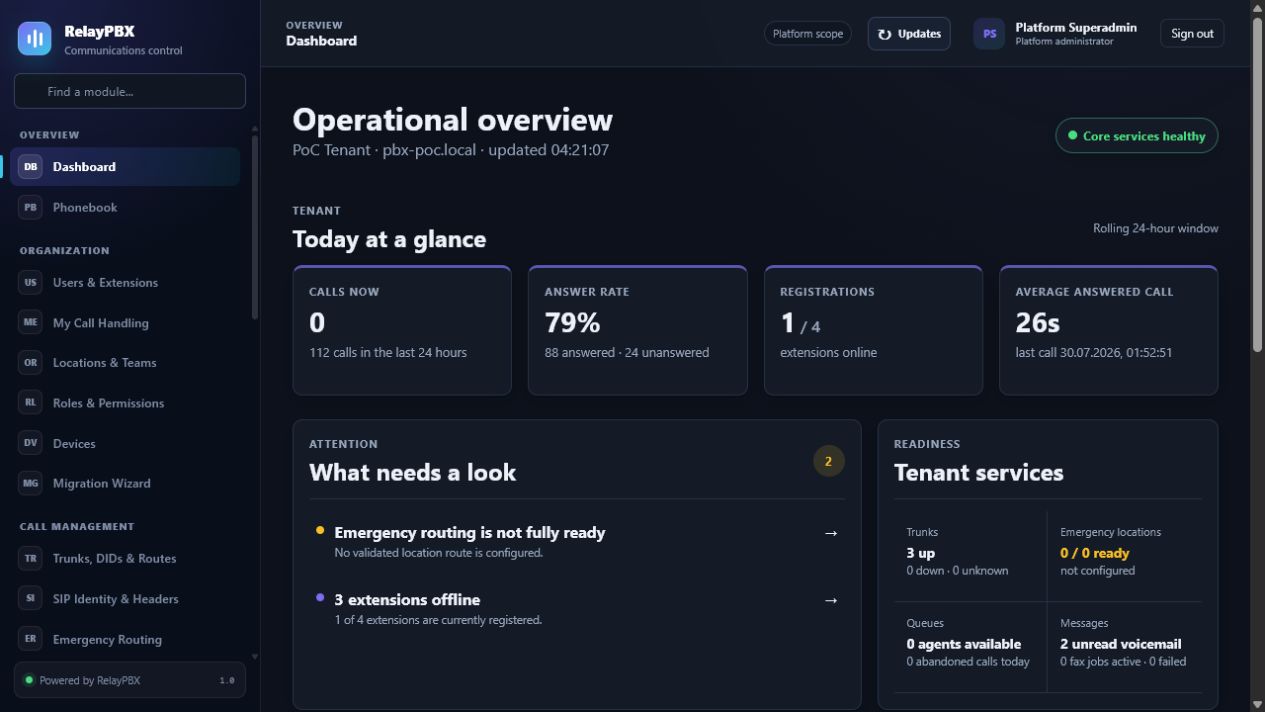 Panel operacyjnySprawdź stan usług i ostrzeżenia przed zmianą konfiguracji.
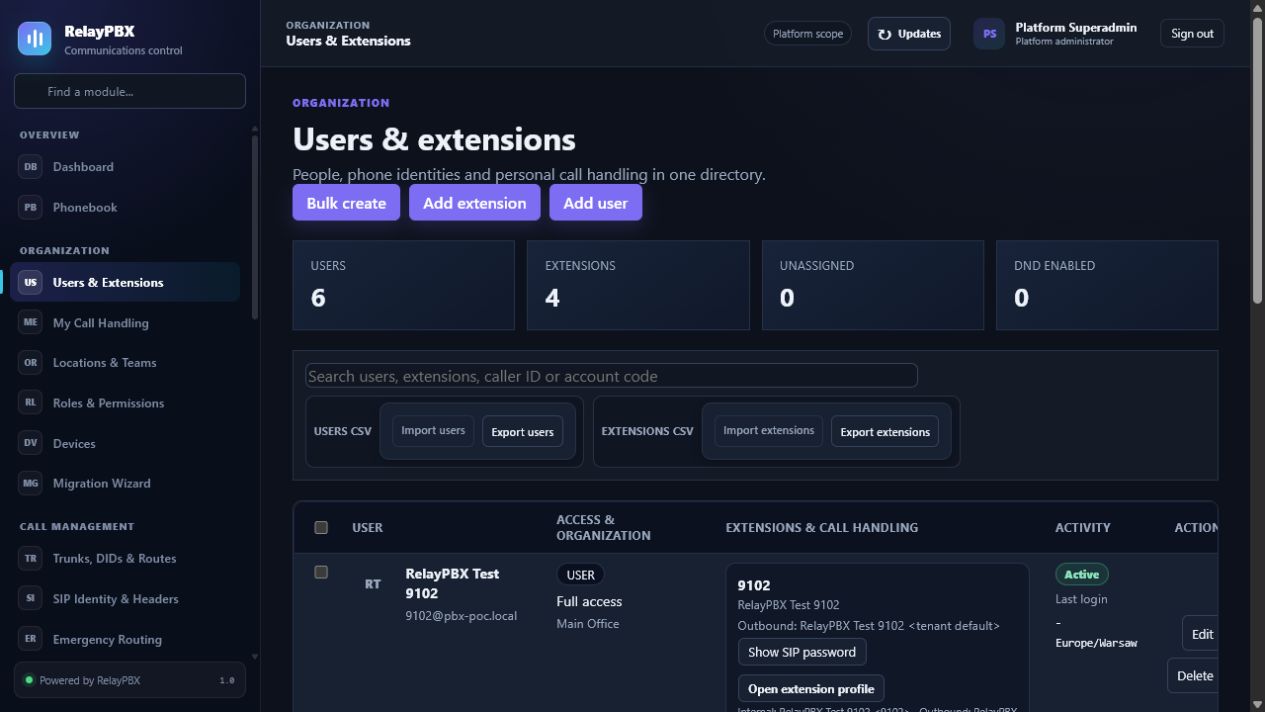 Użytkownicy i numery wewnętrznePoznaj rozdzielenie użytkowników portalu od endpointów SIP.
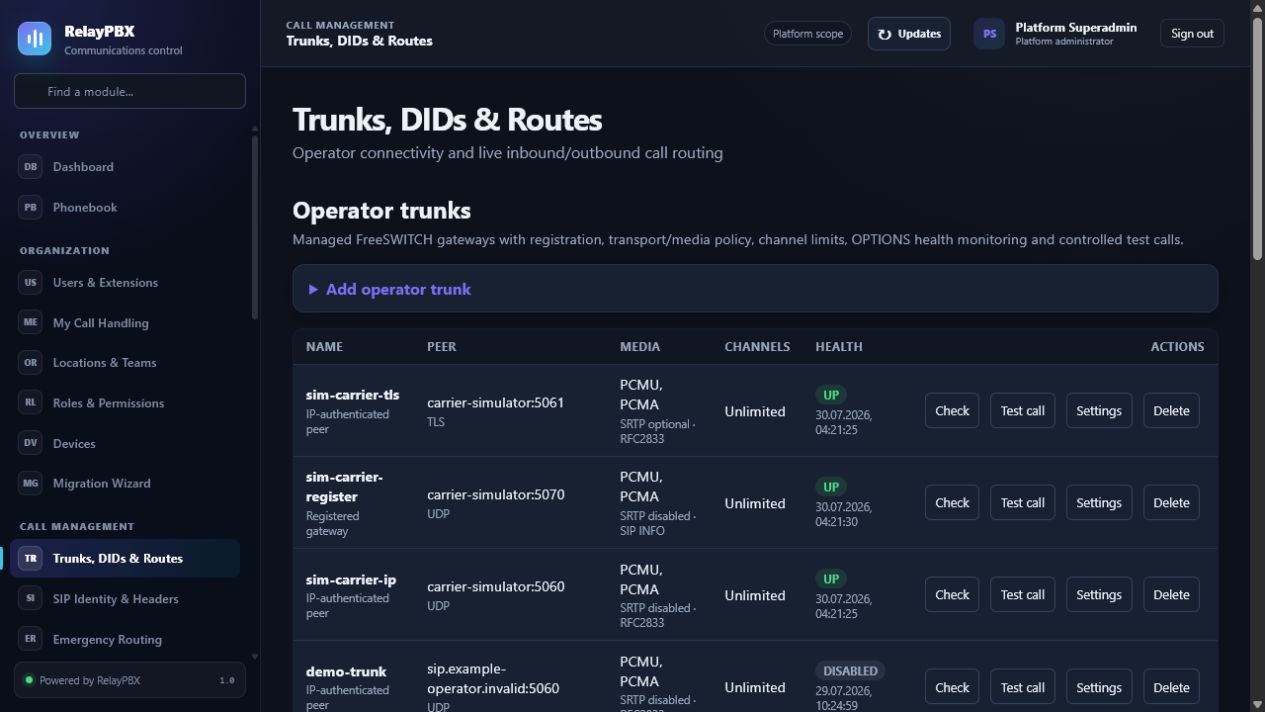 Trunki, DID-y i routingSprawdź stan operatora, cele połączeń przychodzących i politykę połączeń wychodzących.
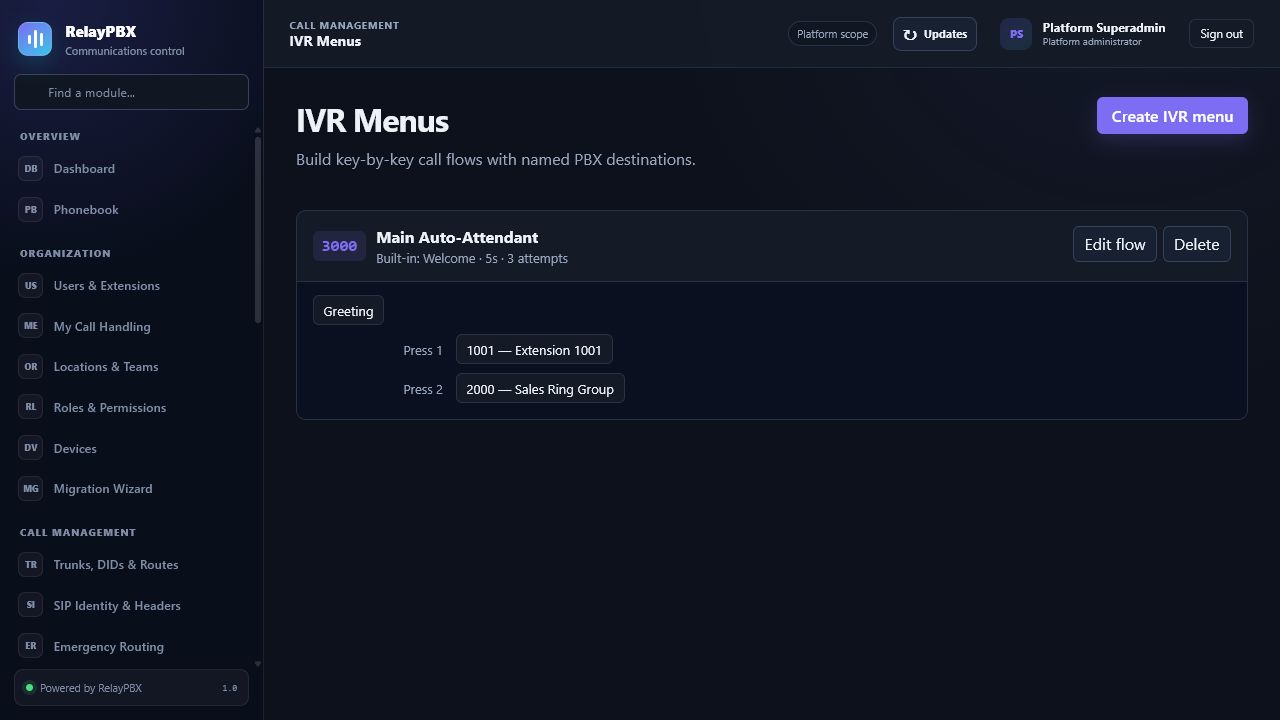 Menu IVRZweryfikuj zapowiedź, limit czasu i każdy skonfigurowany cel.
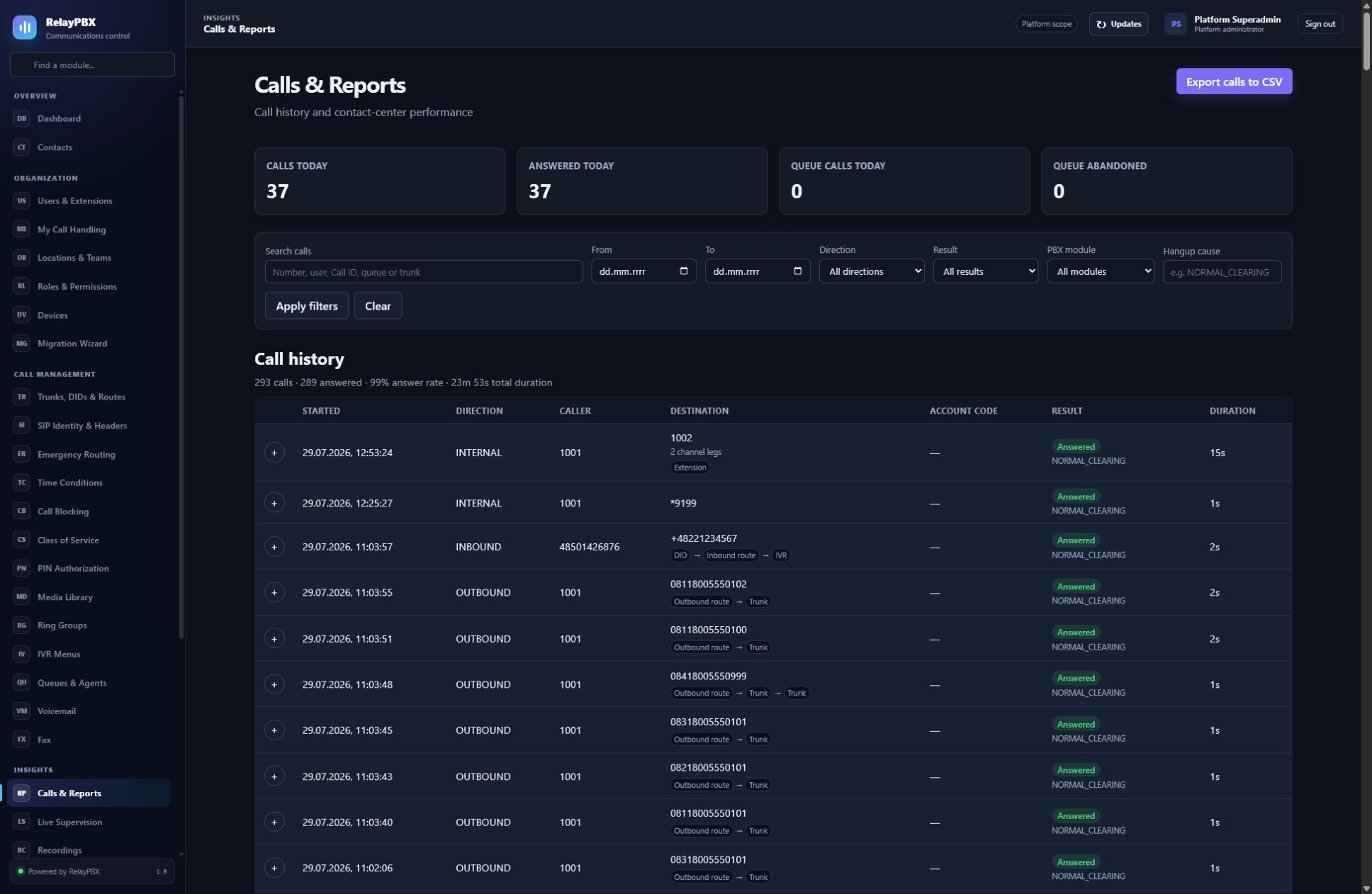 Rozmowy i raportyRozwiń jedną logiczną rozmowę do przebiegu modułów i danych diagnostycznych.
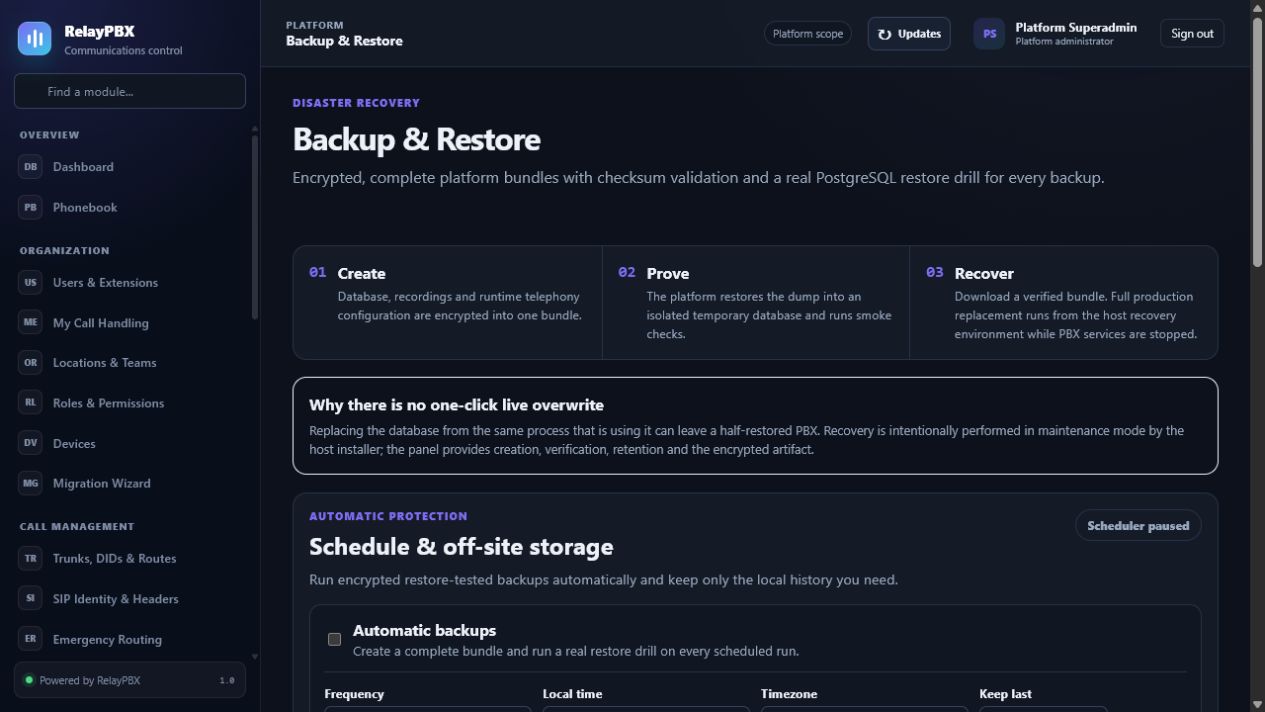 Kopie zapasowe i odtwarzanieSkonfiguruj retencję poza serwerem i potwierdź odzyskiwanie na tym samym ekranie.
Korzystaj ze struktury menu znanej z RelayPBX. Każdy artykuł wyjaśnia zalecany proces, ważne pola i test akceptacyjny, który należy wykonać po zmianie.
Publiczne podsumowania opisują domyślne działanie produktu. Warunki właściwe dla umowy, retencja i szczegóły przetwarzania danych są potwierdzane w zamówieniu klienta.
Platforma wymusza granice tenantów, kontrolę ról, szyfrowanie sekretów, TLS i audytowalną administrację.
Otwórz instrukcję operacji bezpieczeństwa →Dane i media połączeń podlegają zasadom dostępu i retencji skonfigurowanym przez klienta. Pomoc techniczna otrzymuje dane diagnostyczne wyłącznie na podstawie jawnej, ograniczonej czasowo zgody.
Analityka strony publicznej przechowuje przez 180 dni ścieżki stron, domeny odsyłające, ogólne dane o urządzeniu i kraju, nazwane cele kliknięć oraz Core Web Vitals. Nie używa plików cookie, trwałego identyfikatora urządzenia, surowego adresu IP, wartości formularzy ani odtwarzania sesji i respektuje ustawienie Do Not Track.
Zadaj pytanie o prywatność →Przed płatnością albo ręczną aktywacją zamówienie zapisuje wersję, pojemność, model wdrożenia, cykl rozliczeniowy i zakres pomocy.
Przeczytaj politykę handlową →Podejrzenie podatności zgłoś prywatnie, podając wersję produktu i minimalny potrzebny zestaw danych. Nigdy nie dołączaj mediów klienta ani nieograniczonych danych logowania.
Skontaktuj się z zespołem bezpieczeństwa →Ekrany i nazwy pól odpowiadają RelayPBX 1.0. Jeżeli zainstalowana wersja jest inna, przed zmianą konfiguracji produkcyjnej skorzystaj z odpowiadającej jej instrukcji.